
Movavi
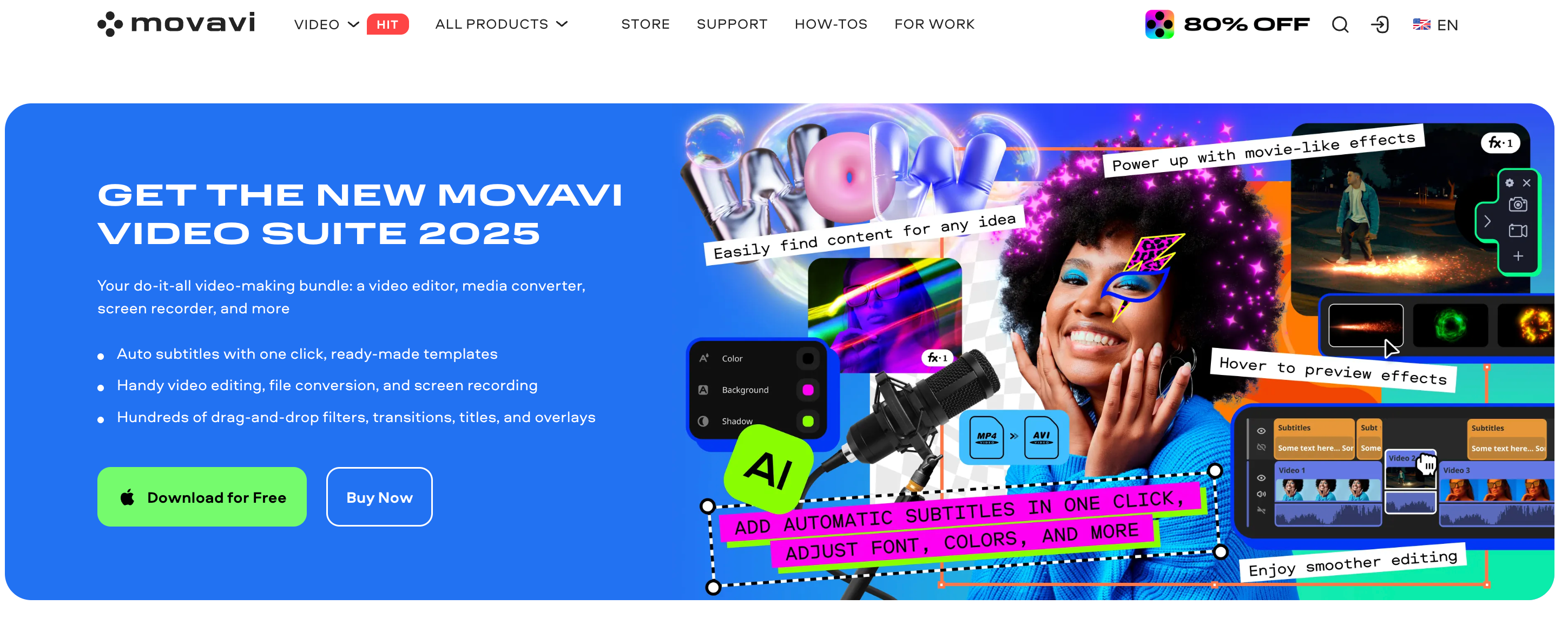
Movavi is a multimedia software company that helps users easily create, edit, and share videos, audio, and images. Founded in 2004, Movavi offers powerful yet beginner-friendly tools for video editing, screen recording, file conversion, and more. It’s perfect for content creators, educators, and businesses. With millions of users, Movavi blends intuitive design with professional-grade features, making high-quality content creation accessible to everyone. Whether you're crafting YouTube videos or training materials, Movavi makes it fast and simple.
On this page
support@movavi.com
Address
Office 201, 3 Krinou Street, Limassol, 4103, Cyprus
Founded
2004
Founder
Sergey Pavlishin and Natalia Khudyakova
CEO
Sergey Pavlishin
About Movavi
Everything to know about Movavi: From founders, to reviews, and subscription cost.
Movavi.com is a trusted multimedia software platform that’s been simplifying content creation since 2004. Known for its user-friendly video editing, screen recording, and media conversion tools, Movavi caters to beginners and professionals alike. With a presence in over 190 countries and more than 70 million users, the company continues to empower individuals, educators, and businesses to produce high-quality content with ease. Movavi stands out for blending professional-grade features with an intuitive interface, making digital creativity more accessible than ever.
Conversational Voice AI, trained to speak your business.
Get Started
Darth Vader - Orginal
Original


Darth Vader - Clone
Clone


Neil Tyson - Original
Original

Neil Tyson - Clone
Clone

Oprah Winfrey - Orginal
Original

Oprah Winfrey - Clone
Clone
All Movavi Products
Movavi's Product Categories
AI Video Editing
Pricing
Here's a simple look at how much Movavi cost. It has free options so you can try them out!
| Video Editor | Video Editor Plus | Video Suite | |
|---|---|---|---|
| Monthly Pricing | $29-lifetime | $83-lifetime | $80-lifetime |
| Yearly Pricing | - | - | - |
Prices are estimates and can change, so always check their official websites for the latest info!
Features
Discover the key features that make Movavi stand out.
| Feature | What it unlocks |
|---|---|
| Easy-to-Use Video Editor | Movavi offers a beginner-friendly drag-and-drop video editor with timeline editing, transitions, filters, and special effects designed for quick content creation. |
| Screen Recording Tool | Capture your screen with high quality, ideal for tutorials, webinars, and gameplay with webcam and audio input support. |
| Format Conversion Suite | Convert video, audio, and image files between 180+ formats with fast processing and no quality loss using Movavi Video Converter. |
| Built-In Media Library | Access a large collection of stock videos, music tracks, sound effects, and stickers to enhance your video projects without leaving the platform. |
Use Cases
See the top Movavi use cases and interesting ways you can use Movavi
| Marketing Video Development | Businesses create product promos, ads, and social media clips with templates, branding tools, and animation effects. |
| YouTube Video Creation | Movavi’s intuitive video editor helps YouTubers edit vlogs, tutorials, reviews, and intros with transitions, titles, and royalty-free music. |
| Online Course Production | Educators and trainers use Movavi to record screens, add annotations, and edit lectures into polished e-learning videos. |
| Social Media Content Editing | Perfect for TikTok, Instagram, or Facebook videos—resize formats, apply effects, and add subtitles quickly for mobile-first content. |
| Corporate Presentations | Professionals use Movavi for internal training videos, product demos, and business overviews with clear narration and visuals. |
| File Conversion and Compression | Convert large videos into smaller sizes or different formats for compatibility across devices or faster sharing without losing quality. |
Movavi Pros and Cons
Here's a balanced view of Movavi's strengths and weaknesses.
| Movavi Pros | Movavi Cons |
|---|---|
| Movavi’s intuitive design makes it easy for beginners to create and edit videos without prior experience. | Movavi may lack some high-end features needed by professional editors (e.g., advanced color grading, multi-cam editing). |
| Video rendering and file conversion are optimized for speed without compromising output quality. | Some users report occasional performance slowdowns when editing large files or using heavy effects. |
| Offers reliable email and chat-based customer service, plus a detailed knowledge base and video guides. | Audio tools are limited, so advanced users may find noise filters and sound design options insufficient. |
| Compared to high-end editors, Movavi offers competitive pricing with flexible annual or lifetime license options. | Some users find Movavi’s pricing structure unclear, differentiating between lifetime and annual plans can be confusing at checkout. |
| Available for Windows, macOS, and select mobile devices, allowing users to work on different systems easily. | Videos exported during the free trial include a Movavi watermark, which limits usability for publishing. |
Reviews
See the top positive and negative reviews for Movavi
Easy, professional, and intuitive programMovavi is an incredible video editing tool, combining simplicity with powerful features. Ideal for beginners and advanced users, it offers an intuitive interface, creative effects, and fast export. Transform ideas into amazing videos with ease! Francisco A. Gerente de E-commerce 5 |
Intuitive and simple to useIt's very easy to use this software, we've got some vidéos, pictures and effects to put in your video. You've got some backgrounds too, transitions... You can put your video, pictures very simply, with the drag and drop or with the research in your computer. You can drive effects with some keys of animation. You can put several soundtracks and play with them, with the speed or the power of sound. seaux v. webdesigner 4 |
Movavi Video Editor is awesomeThe ease of use, the variety of options in the transitions and effects and the kind of editing to my clips or my photos that it lets me do it is amazing, I have iMovie as well on my Mac but I still prefer Movavi because of the very reasons I listed. I also like the aspect ratio feature which lets me choose the platform for which the video is going to be. Ayush R. Senior Team Lead 5 |
Top Movavi alternatives
See the top alternatives to Movavi and see how they compare.

4.5 G2, Capterra
Speechify
A leading technology company that offers AI-based reading assistance.

4.5 G2, Capterra
Eleven Labs
ElevenLabs is an AI voice generation platform that transforms text into lifelike speech in over 70 languages. With powerful features like voice cloning, multilingual dubbing, and real-time audio generation, it's ideal for creators, developers, and enterprises looking to scale high-quality voice content. Whether you're building audiobooks, videos, games, or virtual assistants, ElevenLabs delivers human-like voices with emotion, clarity, and customization.

4.5 G2, Capterra
Wavel AI
Wavel AI is a powerful AI-driven platform that enables creators and businesses to produce multilingual, voice-enriched content at scale. With top-priority features like AI dubbing, voice cloning, and automated subtitles, Wavel makes it easy to localize videos and engage global audiences. From lifelike text-to-speech to faceless video generation and AI ad creation, the platform offers a full suite of tools tailored for content creators, marketers, educators, and developers seeking fast, high-quality audio-video production.

4.4 Trustpilot
Cartesia AI
Cartesia AI is a platform focused on generating natural speech and powering voice applications, particularly for voice cloning and text-to-speech in real time

4.7 G2, Capterra
Murf AI
Murf AI is a voice-over platform that turns text into lifelike speech, helping users create studio-quality voiceovers in minutes

4.4 G2, Capterra
Lovo AI
LOVO AI is a leading AI voice platform that offers realistic text-to-speech and voiceover solutions for diverse users.

4.5 G2, Capterra
Play AI
Play.ht is a AI voice generation platform offering voicing solutions for creators and businesses worldwide.

5 G2, Capterra
Natural Reader
A leading AI voice technology company offering text-to-speech solutions for individuals and businesses.


