
Kapwing
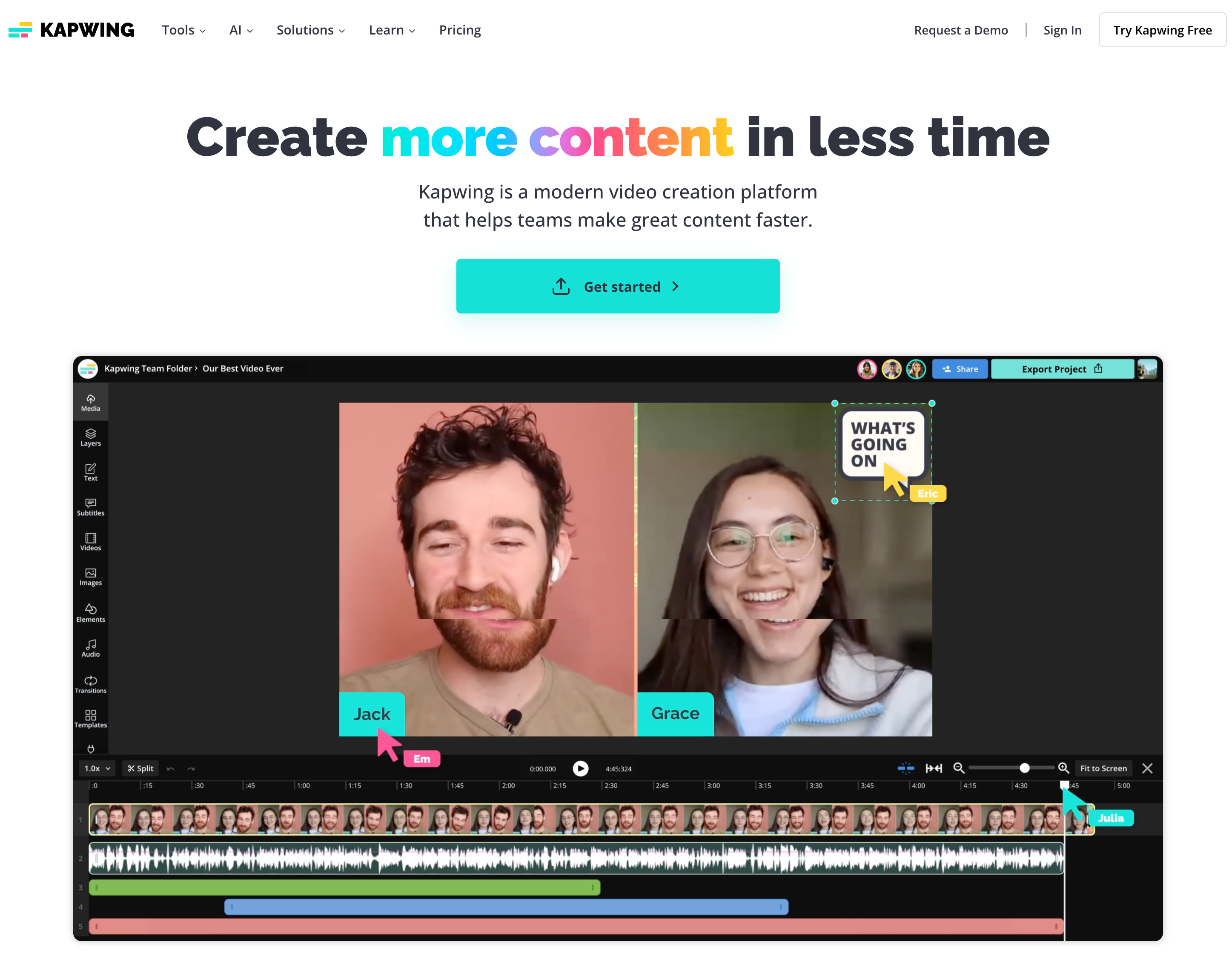
Kapwing is a collaborative, browser-based video editing platform built for modern creators, teams, and marketers. With easy-to-use tools powered by AI, Kapwing lets you edit videos, add subtitles, generate content from text, and repurpose clips for social media, all without downloading software. Whether you're a content creator, teacher, or startup founder, Kapwing helps you turn ideas into polished video content fast. It's designed to be simple, smart, and accessible, giving anyone the power to create, anywhere.
On this page
support@kapwing.com
Address
1762 Dolores Street, Apartment A, San Francisco, CA 94110, USA
Founded
2017
Founder
Julia Enthoven and Eric Lu
CEO
Julia Enthoven
About Kapwing
Everything to know about Kapwing: From founders, to reviews, and subscription cost.
Kapwing is an online video editing platform founded in 2017 by Julia Enthoven and Eric Lu. Designed for creators, marketers, educators, and teams, Kapwing offers powerful yet simple tools to edit, caption, resize, and repurpose video content, right from your browser. No software downloads, no steep learning curve. With AI-driven features and real-time collaboration, Kapwing makes content creation faster, more accessible, and scalable for everyone. Over 25 million users trust Kapwing to bring their stories and brands to life.
Conversational Voice AI, trained to speak your business.
Get Started
Darth Vader - Orginal
Original


Darth Vader - Clone
Clone


Neil Tyson - Original
Original

Neil Tyson - Clone
Clone

Oprah Winfrey - Orginal
Original

Oprah Winfrey - Clone
Clone
All Kapwing Products
Kapwing's Product Categories
AI Subtitles
AI Dubbing
AI Video Generator
AI Faceless Video Generator
AI Video Editing
Pricing
Here's a simple look at how much Kapwing cost. It has free options so you can try them out!
| Pro | Business | Enterprise | |
|---|---|---|---|
| Monthly Pricing | $24/month | $64/month | Contact Us |
| Yearly Pricing | $192/year | $600/year | Contact Us |
Prices are estimates and can change, so always check their official websites for the latest info!
Features
Discover the key features that make Kapwing stand out.
| Feature | What it unlocks |
|---|---|
| Online Video Editor | A fully browser-based video editor with drag-and-drop tools, making it easy to trim, cut, resize, crop, and combine video clips without installing software. |
| AI Smart Cut Tool | This AI-powered feature automatically removes silences from videos, saving time for creators who record long takes or voiceovers. |
| Auto Subtitle Generator | Kapwing can automatically generate subtitles using speech recognition and lets you edit, time, and export them in various formats (like SRT or hardcoded). |
| Team Collaboration | Kapwing supports real-time collaboration with shared folders, version history, and commenting features, ideal for creative teams, agencies, and remote workflows. |
Use Cases
See the top Kapwing use cases and interesting ways you can use Kapwing
| Marketing & Promotional Videos | Design compelling ad creatives, product demos, or launch teasers with branded templates, music, and dynamic text animations. |
| Social Media Video Creation | Easily create, resize, and format videos for platforms like TikTok, Instagram, YouTube, and LinkedIn using pre-built templates and aspect ratio tools. |
| Educational Video Lessons | Teachers and online educators use Kapwing to create engaging video lessons with voiceovers, visuals, and annotations. |
| Podcasts to Video Format | Turn audio podcasts into visual content using waveform animations, captions, and background visuals for YouTube or social media. |
| GIF & Meme Creation | Create eye-catching GIFs or viral memes by uploading clips, trimming scenes, and adding captions or stickers. |
| Corporate Training Videos | Create onboarding materials, internal communications, or instructional videos with step-by-step visuals and subtitles for clarity. |
Kapwing Pros and Cons
Here's a balanced view of Kapwing's strengths and weaknesses.
| Kapwing Pros | Kapwing Cons |
|---|---|
| Its intuitive drag-and-drop editor makes it easy for non-editors to trim, cut, subtitle, and publish videos quickly. | Free-tier videos are limited to 720p resolution, up to 7 minutes duration, and include a Kapwing watermark |
| Real-time collaboration tools let multiple users work on the same project—perfect for teams, agencies, and remote creators. | Advanced editing features like motion tracking, keyframing, noise reduction, and advanced color correction are unavailable, limiting artistic flexibility. |
| You can export videos optimized for TikTok, YouTube, Instagram, LinkedIn, and more using built-in aspect ratio templates. | Exporting large or high-resolution videos may take time, especially during peak usage hours. |
| Your projects are automatically saved in the cloud, so you never lose progress—and you can access them anytime. | Since Kapwing is browser-based, a stable internet connection is essential. |
| Upload and export files in a wide range of formats including MP4, MOV, MP3, PNG, GIF, and more. | Multiple user reports highlight delays or non-responsiveness from customer support, especially with billing issues or export failures. |
Reviews
See the top positive and negative reviews for Kapwing
GREAT SOLUTION!It houses all of your media that makes it easy to build videos and reuse components when necessary. The built in AI transcript editing among the many other features makes this a hosted editing platform worth leveraging to make quick efficient use of time. Thyagi D. Chief Executive Officer Computer Software 5 |
Kapwing helping creators to GrowI like the Kapwing Templates section. It provides thousands of templates designed by professionals and helps us make our video outstanding by simply changing our content with pictures, videos and text. Muhammad S. Owner Marketing and Advertising 4 |
Easy to use and lots of features and extrasKapwing is very easy to use and easy to understand. I've used more than five video editing tools, and Kapwing is the easiest and has the clearest timeline. Steve H. Commander 5 |
Top Kapwing alternatives
See the top alternatives to Kapwing and see how they compare.

4.5 G2, Capterra
Speechify
A leading technology company that offers AI-based reading assistance.

4.5 G2, Capterra
Eleven Labs
ElevenLabs is an AI voice generation platform that transforms text into lifelike speech in over 70 languages. With powerful features like voice cloning, multilingual dubbing, and real-time audio generation, it's ideal for creators, developers, and enterprises looking to scale high-quality voice content. Whether you're building audiobooks, videos, games, or virtual assistants, ElevenLabs delivers human-like voices with emotion, clarity, and customization.

4.5 G2, Capterra
Wavel AI
Wavel AI is a powerful AI-driven platform that enables creators and businesses to produce multilingual, voice-enriched content at scale. With top-priority features like AI dubbing, voice cloning, and automated subtitles, Wavel makes it easy to localize videos and engage global audiences. From lifelike text-to-speech to faceless video generation and AI ad creation, the platform offers a full suite of tools tailored for content creators, marketers, educators, and developers seeking fast, high-quality audio-video production.

4.4 Trustpilot
Cartesia AI
Cartesia AI is a platform focused on generating natural speech and powering voice applications, particularly for voice cloning and text-to-speech in real time

4.7 G2, Capterra
Murf AI
Murf AI is a voice-over platform that turns text into lifelike speech, helping users create studio-quality voiceovers in minutes

4.4 G2, Capterra
Lovo AI
LOVO AI is a leading AI voice platform that offers realistic text-to-speech and voiceover solutions for diverse users.

4.5 G2, Capterra
Play AI
Play.ht is a AI voice generation platform offering voicing solutions for creators and businesses worldwide.

5 G2, Capterra
Natural Reader
A leading AI voice technology company offering text-to-speech solutions for individuals and businesses.


