
Clideo
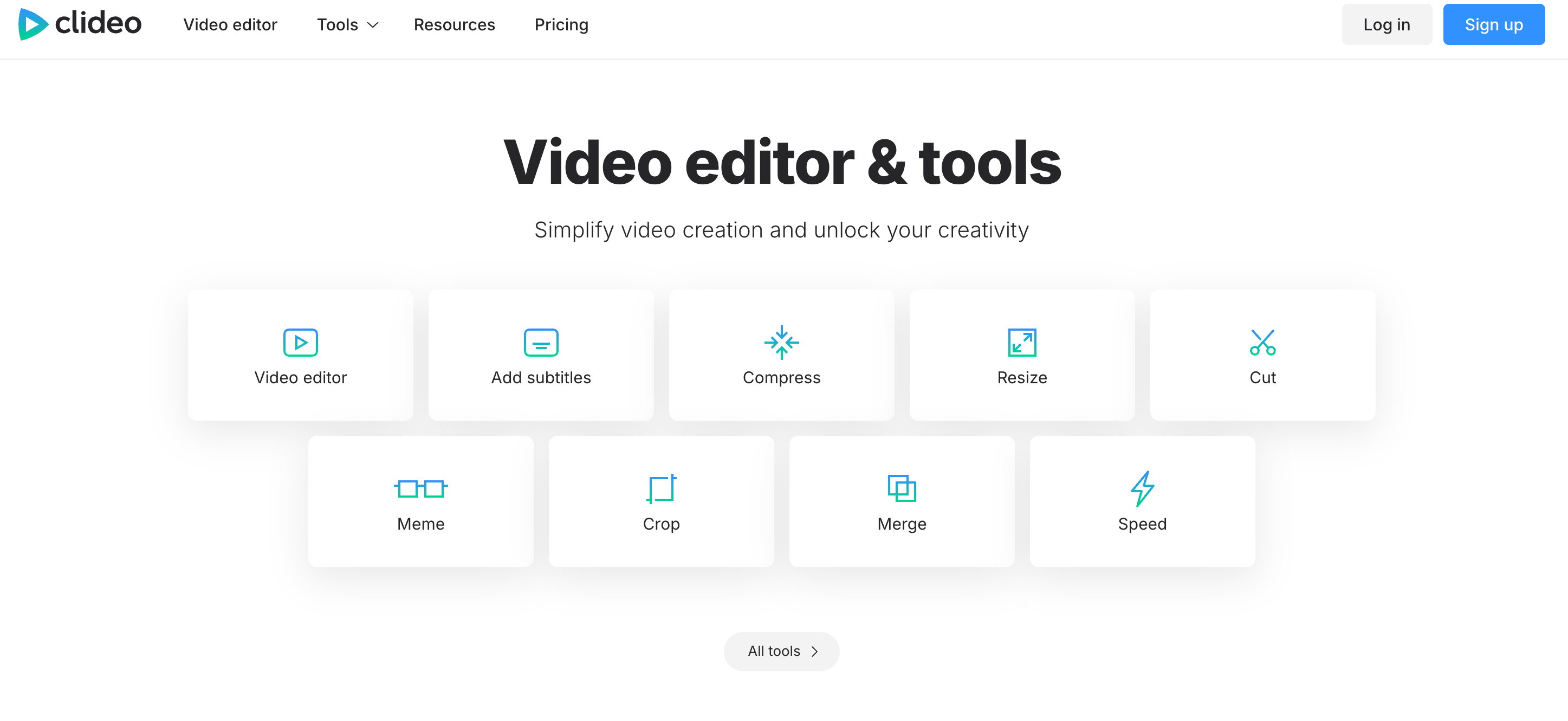
Clideo is a Madrid‑based SaaS platform offering a comprehensive suite of browser-based video, audio, image, GIF editing and conversion tools—no downloads or installations required. Trusted by over 5 million monthly users and enterprise brands like Google, Amazon, and Microsoft, it provides quick, secure, cross-device editing with support for all major formats. With intelligent tools for compression, subtitling, translation, and text‑to‑speech, Clideo empowers both novice creators and businesses to produce high-quality content online. The freemium model enables full-feature access, with a modest premium subscription unlocking unlimited storage and watermark-free exports.
On this page
support@clideo.com
Address
Madrid, 28006, Spain
Founded
2019
Founder
Nitzan Mayer
CEO
Michele Mazzaro
About Clideo
Everything to know about Clideo: From founders, to reviews, and subscription cost.
Clideo stands out with its intuitive, browser-based interface that brings powerful media editing capabilities directly to users—no software installs or complex setups required. Its cloud infrastructure ensures that media processing is fast, encrypted, and accessible across devices. Leveraging an extensive toolkit, it supports everything from basic trims and merges to advanced subtitle generation, video translation with AI voiceovers, and robust format conversions. The ability to record screen, webcam, or audio within the same tools makes it a one-stop solution. With a generous free tier and a low-cost ~US $6/month Pro plan, Clideo offers exceptional value, especially for businesses, educators, and marketers needing quick, secure, and versatile online media editing.
Conversational Voice AI, trained to speak your business.
Get Started
Darth Vader - Orginal
Original


Darth Vader - Clone
Clone


Neil Tyson - Original
Original

Neil Tyson - Clone
Clone

Oprah Winfrey - Orginal
Original

Oprah Winfrey - Clone
Clone
All Clideo Products
Clideo's Product Categories
AI Dubbing
AI Subtitles
AI Video Editing
Pricing
Here's a simple look at how much Clideo cost. It has free options so you can try them out!
| Pro | |
|---|---|
| Monthly Pricing | $9/month |
| Yearly Pricing | $72/year |
Prices are estimates and can change, so always check their official websites for the latest info!
Features
Discover the key features that make Clideo stand out.
| Feature | What it unlocks |
|---|---|
| All‑in‑one Online Media Suite | Offers tools for trimming, merging, compressing, subtitling, translating, screen recording, and more, all accessible in a single browser interface. |
| Secure Cloud Processing | Files are encrypted during upload and removed from servers after use, giving users control over privacy and security. |
| Cross‑Device, No-Install Access | Fully functional on desktop and mobile (iPhone, Android), Clideo works wherever you are. No downloads or compatibility concerns. |
| Multilingual Subtitles & Voice Translation | Auto-generate or upload subtitles; translate videos with AI voiceover for international reach. |
Use Cases
See the top Clideo use cases and interesting ways you can use Clideo
| Social Media Marketers | Resize and repurpose videos for platforms like TikTok and Instagram using format presets, subtitles, and stickers. |
| Corporate Trainers & Educators | Create training modules with screen recordings, captions, and voiceovers directly in-browser. |
| Content Creators & Influencers | Produce polished videos from audio, images, and clips with built-in multimedia compositing tools. |
| Localization & Translation Services | Automatically translate videos into multiple languages with synchronized subtitles and AI voiceovers. |
| Small Business Campaigns | Compress and branding-edit promotional videos for websites, ads, and email campaigns. |
| Workflow Automation | Perform fast tasks like GIF creation, audio trimming, format conversion, or meme making without specialized software. |
Clideo Pros and Cons
Here's a balanced view of Clideo's strengths and weaknesses.
| Clideo Pros | Clideo Cons |
|---|---|
| Access full editing functionality directly in a web browser, great for quick, on-the-fly usage. | Free tier adds watermarks to exports; premium purchase required for clean outputs. |
| From compression and subtitling to recording and conversion, everything is integrated seamlessly. | Caption positioning and style options are more basic compared to some competitors |
| Uses high-level encryption, ensuring only users access their files, which are deleted afterward | Lacks modern AI features like automatic B-roll suggestions or smart editing beyond translation. |
| At ~$6/month, offers watermark-free exports, unlimited storage, and up to 4K downloads, excellent value. | Some users report website or app instability/crashing during heavy usage |
| Works on Mac, Windows, Android, iOS, supports virtually all media formats. | Fully reliant on internet; no standalone desktop app for offline editing. |
Reviews
See the top positive and negative reviews for Clideo
Trimming, cutting, merging, adding video effects1. I've used Clideo for video editing. It's a great open-source free tool. 2. The video effects, options, and edit options are amazing and can be re-used for any new projects and videos. 3. Extremely easy to edit and export the projects. 4. Integration with drive, open URLs are vast. 1. The render quality is not that great 2. The video watermark is so huge and cannot be removed in the free version or edited to be moved to a different position. Kamakshi S. 3 |
Simple Video Editing for Busy CreatorsThe best part about Clideo for me is its simplicity. I'm no longer a professional video editor, however I can easily create engaging content with Clideo's user-pleasant interface and pre-made templates. It allows me to trim clips, upload textual content and song, and even practice cool results while not having complex modifying software. Clide0 can sense restricting for extra tough projects. For example, the timeline capability is relatively primary, and the choice of superior modifying equipment is pretty limited. Jan F. 4 |
Do simple manifest.Easily done. Consumes less data on the internet. Kiluwe Peandi 4 |
Top Clideo alternatives
See the top alternatives to Clideo and see how they compare.

4.5 G2, Capterra
Speechify
A leading technology company that offers AI-based reading assistance.

4.5 G2, Capterra
Eleven Labs
ElevenLabs is an AI voice generation platform that transforms text into lifelike speech in over 70 languages. With powerful features like voice cloning, multilingual dubbing, and real-time audio generation, it's ideal for creators, developers, and enterprises looking to scale high-quality voice content. Whether you're building audiobooks, videos, games, or virtual assistants, ElevenLabs delivers human-like voices with emotion, clarity, and customization.

4.5 G2, Capterra
Wavel AI
Wavel AI is a powerful AI-driven platform that enables creators and businesses to produce multilingual, voice-enriched content at scale. With top-priority features like AI dubbing, voice cloning, and automated subtitles, Wavel makes it easy to localize videos and engage global audiences. From lifelike text-to-speech to faceless video generation and AI ad creation, the platform offers a full suite of tools tailored for content creators, marketers, educators, and developers seeking fast, high-quality audio-video production.

4.4 Trustpilot
Cartesia AI
Cartesia AI is a platform focused on generating natural speech and powering voice applications, particularly for voice cloning and text-to-speech in real time

4.7 G2, Capterra
Murf AI
Murf AI is a voice-over platform that turns text into lifelike speech, helping users create studio-quality voiceovers in minutes

4.4 G2, Capterra
Lovo AI
LOVO AI is a leading AI voice platform that offers realistic text-to-speech and voiceover solutions for diverse users.

4.5 G2, Capterra
Play AI
Play.ht is a AI voice generation platform offering voicing solutions for creators and businesses worldwide.

5 G2, Capterra
Natural Reader
A leading AI voice technology company offering text-to-speech solutions for individuals and businesses.


