 By Gokul
 AI video generation has gone from being just impressive but unusable to a real part of professional production workflows in the span of about eighteen months. Clips that used to top out at three or four seconds with melting hands and warping backgrounds are now 15-to-30-second, multi-shot sequences with native audio, locked character consistency, and resolution that holds up on a large screen. But the model landscape is also moving faster than most creators can track. ByteDance, Google DeepMind, and Kuaishou are all shipping updates on a roughly monthly cadence.
Today, we break down every major AI video and companion image generation model worth knowing in mid-2026: what each one actually does today, and the honest pros and cons of each.
Quick Comparison
| Model | Developer | Status (as of July 2026) | Max Clip Length | Native Audio | Standout Strength |
|---|---|---|---|---|---|
| Seedance 2.0 | ByteDance | Live, recently upgraded to native 4K | 15 seconds | Yes | Multimodal reference control, brand consistency |
| Kling 3.0 (Video 3.0 / Omni) | Kuaishou | Live since February 2026, with a June 2026 Omni editing upgrade | 15 seconds | Yes (multilingual) | Multi-shot AI Director storyboarding |
| Veo 3.1 | Google DeepMind | Live since October 2025, with ongoing feature updates through July 2026 | 8 seconds per shot and up to 148 seconds via Scene Extension | Yes | Cinematic camera control, prompt adherence |
| Seedream 5.0 Pro | ByteDance | Live since July 2026 | N/A | N/A | Layer separation, dense infographic generation |
| Nano Banana Pro | Google DeepMind | Live since November 2025 | N/A | N/A | Legible text rendering, real-world grounding |
| Nano Banana 2 / 2 Lite | Google DeepMind | Live since February 2026 (2), June 30, 2026 (2 Lite) | N/A | N/A | Pro-level quality at Flash speed and cost |
1. Seedance 2.0: A Supreme Model for Multimodal Control and Commercial Consistency
ByteDance’s Seedance line has become the model marketers and ad agencies reach for when they need predictable, on-brief output rather than the most artistically surprising result. Seedance 2.0 currently ranks at or near the top of independent benchmarks like the Artificial Analysis Video Arena for both text-to-video and image-to-video.
Seedance 2.0

Key features
- Up to 15-second clips with native 4K output, added in a June 2026 update
- Accepts up to 12 mixed reference files such as images, video, audio per generation
- Native, synchronized audio generation rather than a bolted-on audio pass
- Fast/Mini variants that trade some quality for significantly lower cost and latency
Pros
- Strong subject and brand identity consistency across multiple generations, which matters more than raw novelty for ad and e-commerce work
- Follows prompts strictly, meaning fewer wasted re-rolls
- Genuinely fast turnaround compared to most competing flagship models
Cons
- Less suited to surreal, highly experimental visual styles than Kling
- Its inference time of 60 to 120 seconds in independent testing can be a bottleneck at scale
- 4K is a recent addition, so tooling and third-party platform support is still catching up
Best for: Social ads, e-commerce product showcases, and rapid ad-campaign prototyping where consistency matters more than experimentation.
2. Kling 3.0: Best for Stylized, Director-Style Storytelling

Kuaishou’s Kling has built its reputation on stylized aesthetics and strong character consistency, positioning itself as the model of choice for creators who want their output to look distinct rather than photorealistic by default.
Key features
- Its famous AI Director behavior: a single generation can span multiple shots with automatic camera blocking, shot-reverse-shot dialogue framing, and cross-cutting based on prompt language
- Native audio generation across English, Chinese, Japanese, Korean, and Spanish, including regional accents and multi-character, multi-language dialogue scenes
- Video 3.0 Omni’s Elements system: upload a 3-to-8-second reference video and the model extracts both visual likeness and voice characteristics for reuse in new scenes
- Native 4K on both the Image 3.0 series and, as of June 2026, the Omni editing pipeline
- Multi-shot storyboard mode with explicit control over duration, shot size, perspective, and camera movement per shot
Pros
- Best-in-class texture and stylized rendering with anime aesthetics, fabric detail, and 3D-animation looks come out polished with minimal prompt engineering
- Strong character & prop consistency across shots inside a single clip
- Native multilingual dialogue generation is a genuine differentiator for global, character-driven content
- A generous free tier makes it accessible for testing before committing to a paid plan
Cons
- Tends to over-stylize straightforward, boring corporate or documentary footage
- Free tier is capped at 720p with a watermark and isn’t usable commercially
- Content filtering is reported as stricter than several competitors, which can slow down certain creative workflows
Best for: Music videos, fashion and concept art, animated marketing campaigns, and any project where a distinct visual identity matters more than photorealism.
3. Veo 3.1: Best for Cinematic Realism and Camera Control

Google DeepMind’s Veo remains the model of choice for creators who think in cinematography terms, with its dolly moves, rack focus, depth of field, rather than generic prompt descriptions.
Key features
- Real-world physics and lighting fidelity that holds up in close, static shots and slower camera moves
- Native audio: dialogue, ambient sound, and effects generated in the same pass as the video
- Ingredients to Video, which uses up to three reference images to lock characters, objects, or style across a sequence
- Scene Extension, which chains 7-second segments up to 20 times for continuous narratives exceeding two minutes
- First-and-last-frame control for precise, directed transitions between two images
- 1080p native generation with state-of-the-art upscaling to 4K, plus native vertical output for Shorts and Reels
- Free access via Google Vids for personal Google accounts, alongside paid tiers in the Gemini app, Flow, Gemini API, and Vertex AI
Pros
- Unmatched prompt adherence for anyone fluent in standard camera and cinematography terminology
- Native audio quality is consistently rated among the strongest in its class
- Free tier access makes it the easiest flagship model to simply try today
- Deep integration across Google’s ecosystem with Gemini, Flow, YouTube Shorts, Google Vids, Vertex AI means it’s rarely far from wherever you’re already working
Cons
- Base clip length is still short and longer sequences require chaining via Scene Extension rather than a true single continuous pass
- Steeper learning curve for creators unfamiliar with cinematography vocabulary
- No dedicated multi-language dubbing or lip-sync layer built in, unlike Kling’s native multilingual dialogue
Best for: Filmmaking b-roll, documentary-style sequences, music videos, and any project where a specific camera language and lighting setup matters more than raw clip length.
4. Seedream 5.0 Pro: The Image Model Behind the Next Generation of AI Video
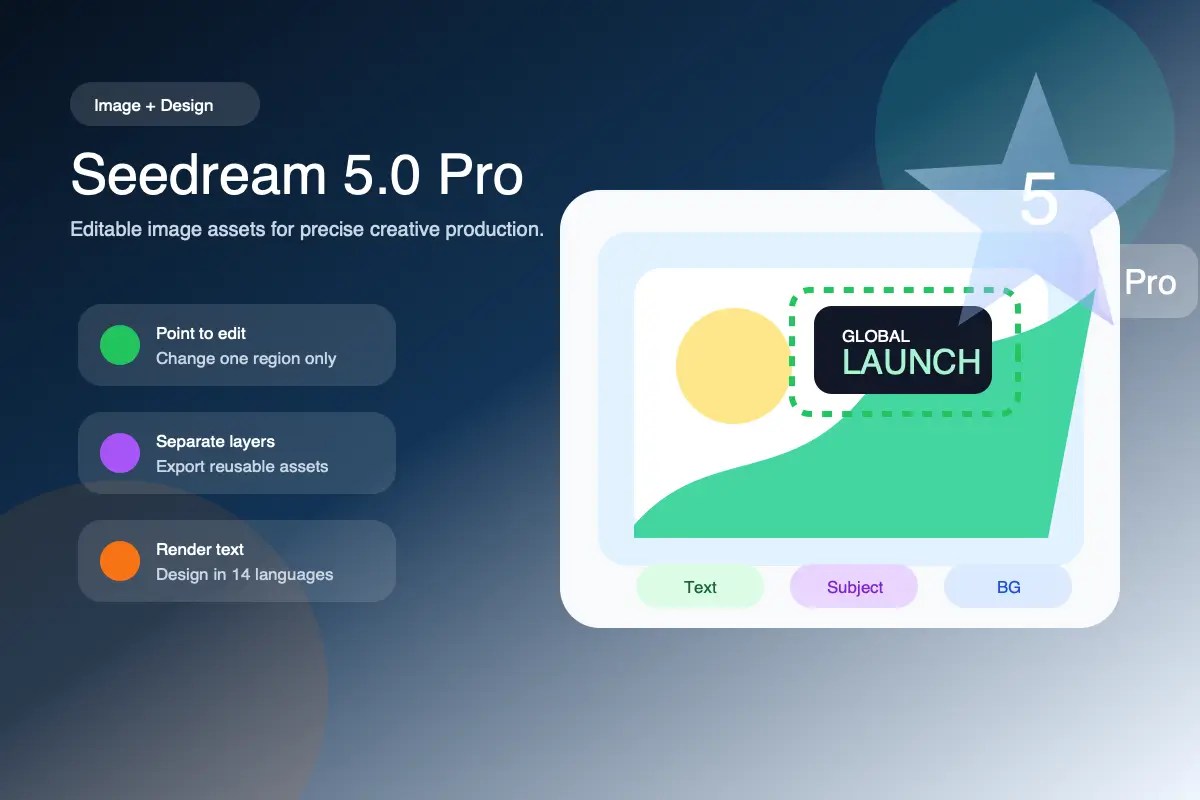
Seedream isn’t just a video model, but it’s ByteDance’s flagship image generation and editing system. It it earns a place on this list because of how directly it feeds AI video pipelines. Seedream 5.0 Pro launched in July 2026, and ByteDance has explicitly positioned it as a keyframe generator for Seedance.
Key features
- Layer separation: decomposes a single generated image into 10+ independent, transparent-PNG layers with AI inpainting to fill in whatever was hidden behind the subject
- Interactive precision editing: point selection, lasso, box, arrow, sketch, and material-swap controls that edit only the targeted region instead of regenerating the whole frame
- Complex information visualization: turns dense data, timelines, and structured text into publication-ready infographics and posters in a single pass
- Native multilingual text rendering in roughly 10–14 languages, with correct right-to-left layout handling for scripts like Arabic
- Up to 2K native resolution and support for up to 10 reference images
- A separate, cheaper Seedream 5.0 Lite tier that adds the deep thinking reasoning and real-time web search for context-aware, trend-sensitive image generation
Pros
- Layer separation alone solves a genuine production pain point: designers no longer need a separate masking tool to pull a subject or headline out of a generated composite
- Reasoning and web-search grounding mean prompts referencing current events or brands are visualized more accurately than models limited to training-data knowledge
- Strong multilingual typography makes it genuinely useful for global marketing localization, not just single-market campaigns
Cons
- It’s an image model, not a video model, and you’ll still need Seedance downstream to animate anything it produces
- Very new, so third-party platform integrations and community prompt-engineering knowledge are still developing
- No official technical report has been published, so some claims about the model’s internal reasoning process remain informed speculation from third-party analysts
Best for: Generating controlled, brand-accurate keyframes and layered marketing assets that then feed into an AI video generation step.
5. Nano Banana Pro and Nano Banana 2: Google’s Image Models for Consistent, Text-Accurate Visuals

Like Seedream, the Nano Banana family is technically an image lineup, not video, but Google has built it to work hand-in-hand with Veo, and it’s become the reference-image engine of choice for a lot of AI video creators. Given how often it comes up alongside Seedance, Kling, and Veo in the same workflows, it’s worth understanding the current lineup clearly, because Google has shipped three distinct tiers in under a year.
Pros
- The three-tier structure of Lite, 2 and Pro actually maps cleanly to real production needs: draft fast and cheap, then upgrade to Pro only for final, high-fidelity assets
- Text rendering, especially multilingual and long-form, remains a genuine differentiator versus most diffusion-based competitors
- You can use Nano Banana Pro to generate ingredient reference images, then feed them into Veo 3.1’s Ingredients to Video for more consistent character and scene continuity
Cons
- The rapid tier expansion creates real naming confusion for anyone not following Google’s announcements closely
- Even Google’s own documentation flags ongoing struggles with small faces, fine text accuracy, and occasional artifacts on complex multi-image blends
- Nano Banana Pro’s higher fidelity comes at noticeably slower generation speed than the 2 and 2 Lite tiers, which matters for high-volume workflows
Best for: Generating consistent, text-accurate reference images and keyframes to feed downstream video generation, especially inside Google’s own Veo/Flow ecosystem.
Where AI Video Models Still Fall Short, and Why Production Workflow Still Matters
Every model above is judged, fairly, on the quality of the pixels it produces. But generating the clip is genuinely only the first step of a real content workflow. None of these models natively solve:
- Voiceover and dubbing into other languages at production quality
- Accurate, styled subtitles and captions for accessibility and silent-autoplay viewing
- Repurposing a single generated sequence into the dozen different aspect ratios and lengths a real marketing calendar needs
This is the gap Wavel AI is built to close. Rather than generating pixels, Wavel brings the leading video generation workflows together with industry-leading AI voice and dubbing tools in more than 100 languages, lip-sync that matches translated audio to the original performance, and instant repurposing into shorts for every platform your audience is actually on. For teams running personal branding and agency workflows at scale, that end-to-end path from a generated clip to a finished, localized, multi-platform asset is usually the actual bottleneck — not which model rendered the original footage.
Frequently Asked Questions
What is the best AI video generation model in 2026? There isn’t a single best model and it depends on the shot. Seedance leads on multimodal reference control and commercial consistency, Veo 3.1 leads on cinematic camera control and native audio, and Kling 3.0 leads on stylized, character-driven storytelling. Many production teams run the same brief across two or three models and use whichever result performs best.
Has Google released Veo 4? No. As of July 2026, Google’s official Veo line still tops out at Veo 3.1, which continues to receive feature updates.
Is Kling 3.5 real? Kuaishou has not officially announced a Kling 3.5 model. The current official flagship is Kling 3.0, including the Video 3.0 Omni tier.
What’s the difference between Seedance 2.0 and Seedance 2.5? Seedance 2.0 is live today, supports up to 15-second clips, 4K output, and 12 reference assets. Seedance 2.5 was previewed in June 2026 and is expected to roughly double clip length to 30 seconds in a single pass.
What’s the difference between Nano Banana Pro and Nano Banana 2? Nano Banana Pro is the higher-fidelity, slower tier built for complex, text-heavy, or factually grounded images. Nano Banana 2 delivers much of that same quality at significantly faster generation speed and lower cost, and is now Google’s default image model across most consumer products.
Do any of these video models include voiceover translation or dubbing? Not natively at production quality. Seedance, Kling, and Veo all generate some form of native audio alongside the video, but multilingual voiceover, professional dubbing, and lip-sync into other languages still require a dedicated platform such as Wavel AI layered on top.
